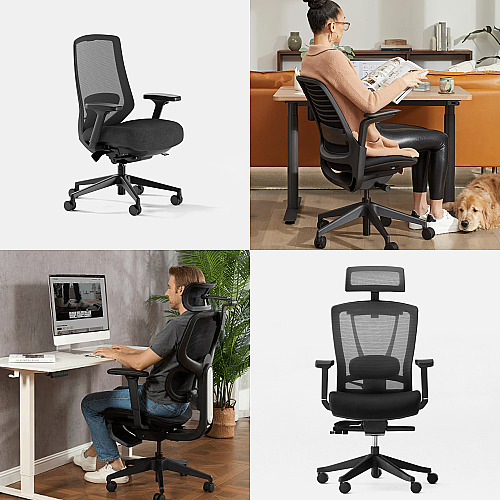
Most people spend more time in their desk chair than they do in bed, yet very few put the same thought into choosing one. A poorly fitted chair can contribute to lower back stiffness, shoulder tension, and the kind of low-grade discomfort that builds over an eight-hour day.
A few decades ago, ergonomic office chairs became all the rage and had some pretty hefty price tags. Unfortunately, many people think they need to spend over $1,000 to get a really good chair. Thankfully, that’s not true anymore. You can find great chairs between $399 and $599 that give you real back support.
We looked at four popular chairs in this price range: the Branch Ergonomic Chair Pro ($499), the Steelcase Series 1 (~$519), the FlexiSpot C7 ($299.99), and the Autonomous ErgoChair Pro ($379). Here’s what we learned.
More Adjustments Mean a Better Fit
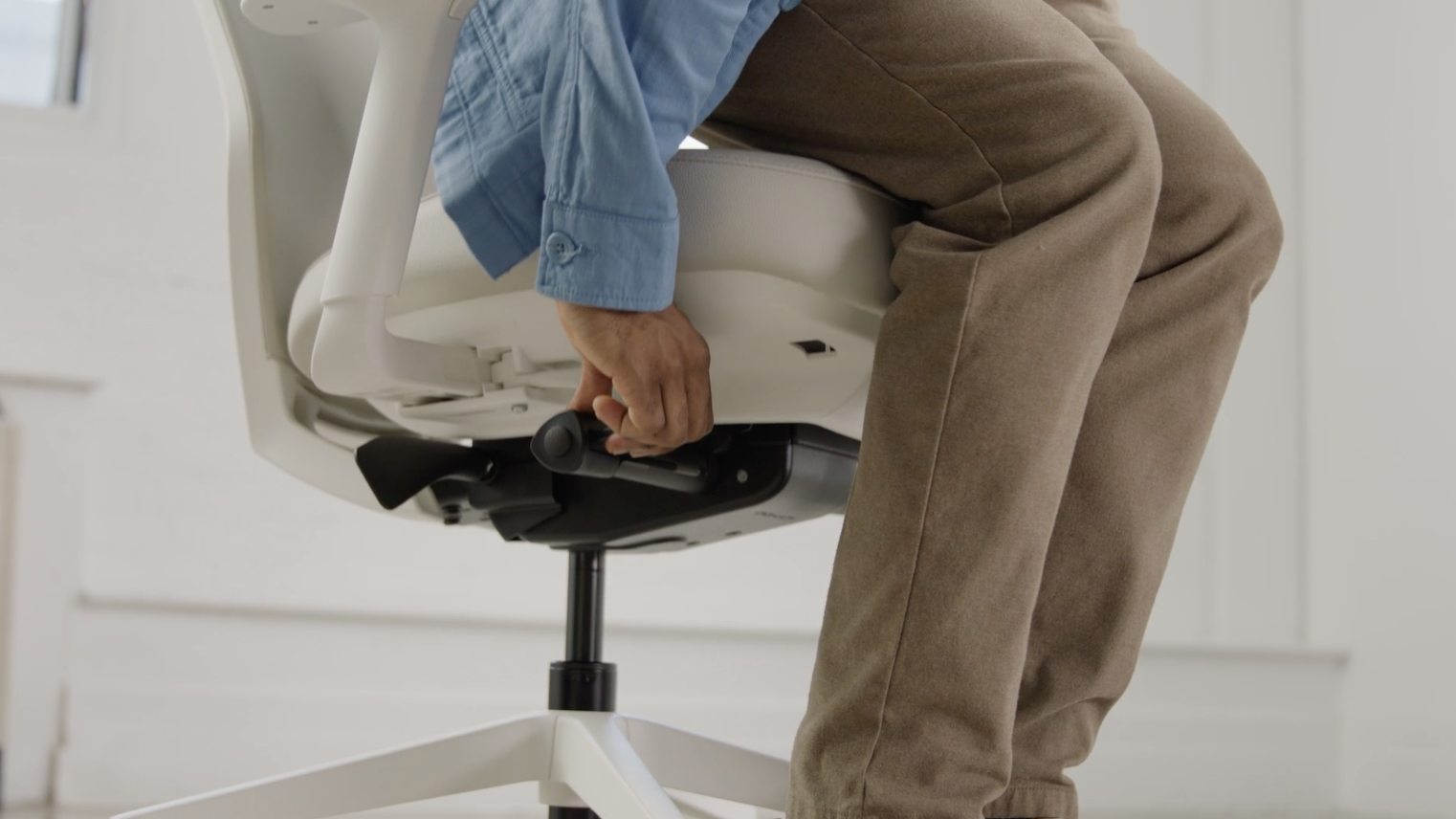
Branch Ergonomic Chair Pro
Everyone’s body is different. A chair with more ways to adjust helps you find the perfect position. The Branch Ergonomic Chair Pro has 14 different adjustments (the most out of any chairs we found). You can change the seat height, how far forward the seat tilts, and move the armrests in five different directions. This lets you set up the chair to fit your body exactly.
The Steelcase Series 1 works a little differently. It senses your weight and adjusts automatically. This makes setup easier, but you have fewer choices to change things yourself. It has 4D armrests that move in four directions that allow you to position your arms correctly, reducing strain on your shoulders, neck, and wrists.
The two cheaper chairs, the FlexiSpot C7 and Autonomous ErgoChair Pro, both have 3D armrests. The FlexiSpot C7 has a special back support that moves with you when you lean, while the Autonomous chair has a back support that stays in one place.
Lower Back Support Matters Most
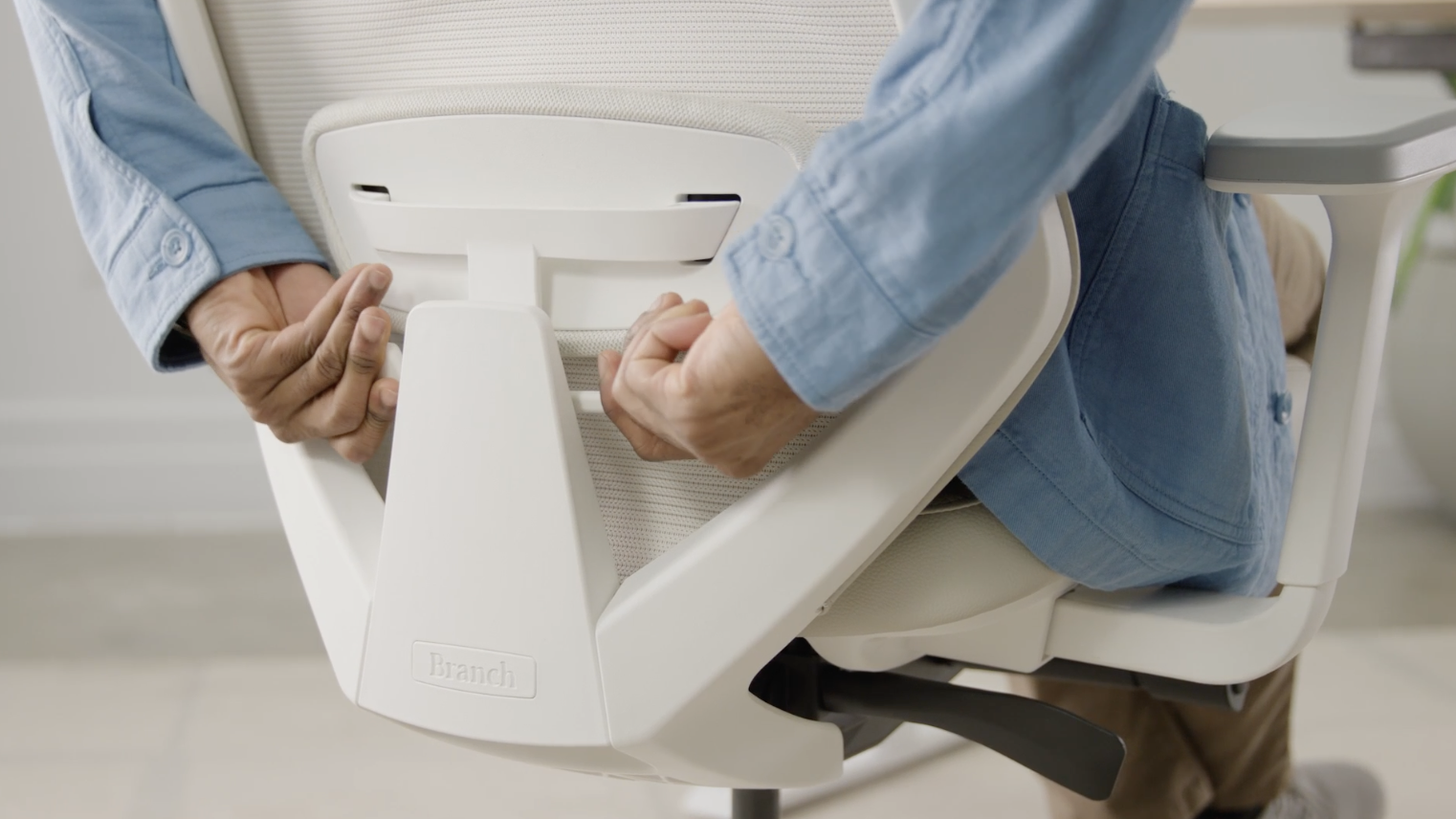
Branch Ergonomic Chair Pro
Your lower back needs the most support when you sit. A 2025 meta-analysis in the Journal of Clinical Medicine found that ergonomic workplace interventions significantly reduced lower back pain across 24 clinical trials. It’s definitely worthwhile to take a look at how your back will be supported.
The Ergonomic Chair Pro has a two-way adjustable lumbar cushion. You can move it up and down to match where your back curves. You can also move it in and out to change how much pressure it puts on your spine. This means you can find the exact right spot for your body. If you don’t like lumbar cushions at all, you can take it off completely as the mesh back still provides some natural give and support without it.
The FlexiSpot C7 has a different approach. Its lumbar cushion can work in two modes. In dynamic mode, the cushion moves with you as you shift in your chair. This keeps constant pressure on your back even when you lean or twist. In locked mode, the cushion stays in one fixed position. Some people like the freedom of dynamic support. Others prefer a cushion that stays put. The FlexiSpot lets you choose. The lumbar also moves up and down so you can set the height.
Simpler Support Options
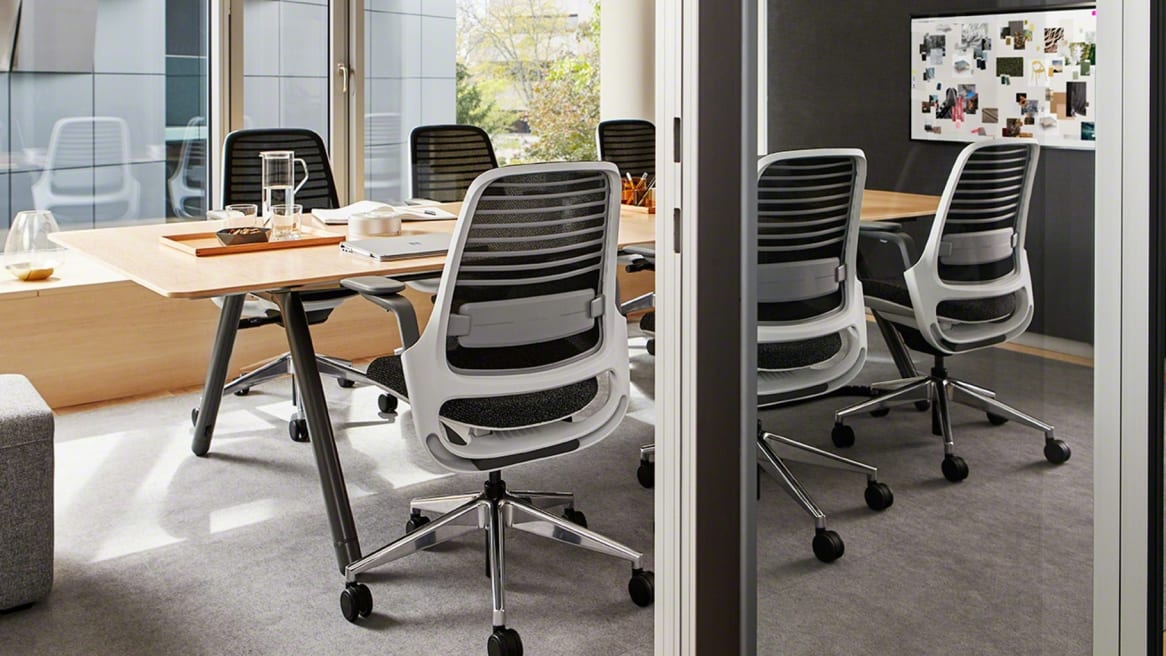
Steelcase Series 1
The Steelcase Series 1 uses what Steelcase calls “flexors” built into the backrest. These flex as you move and provide gentle support. An optional adjustable lumbar upgrade is available for extra cost. Without the upgrade, the back support is basic but functional.
The Autonomous ErgoChair Pro has the most basic lumbar support of the four chairs. It has an adjustable lumbar cushion that moves up and down. The depth is fixed, so you can’t adjust how far it pushes into your back. The support works fine for most people. However, if you have specific back issues or need precise positioning, the limited adjustment may not be enough.
How Long Will These Chairs Last?
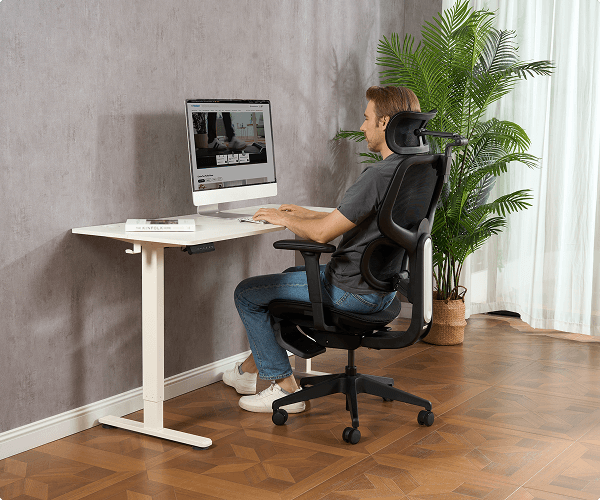
FlexiSpot C7
The Steelcase Series 1 has the longest (limited lifetime) warranty at 12 years. It also holds the most weight at 400 pounds. Steelcase has been making office chairs for a long time and has a strong reputation for high-quality office chairs.
The FlexiSpot C7 has a 10-year warranty and holds up to 300 pounds, while the Ergonomic Chair Pro has a 7-year warranty and holds 275 pounds. It has an aluminum base that feels solid and well-made. Meanwhile, the Autonomous ErgoChair Pro only has a 2-year warranty, which can make purchasing this chair a little bit risky.
What Are These Chairs Made Of?
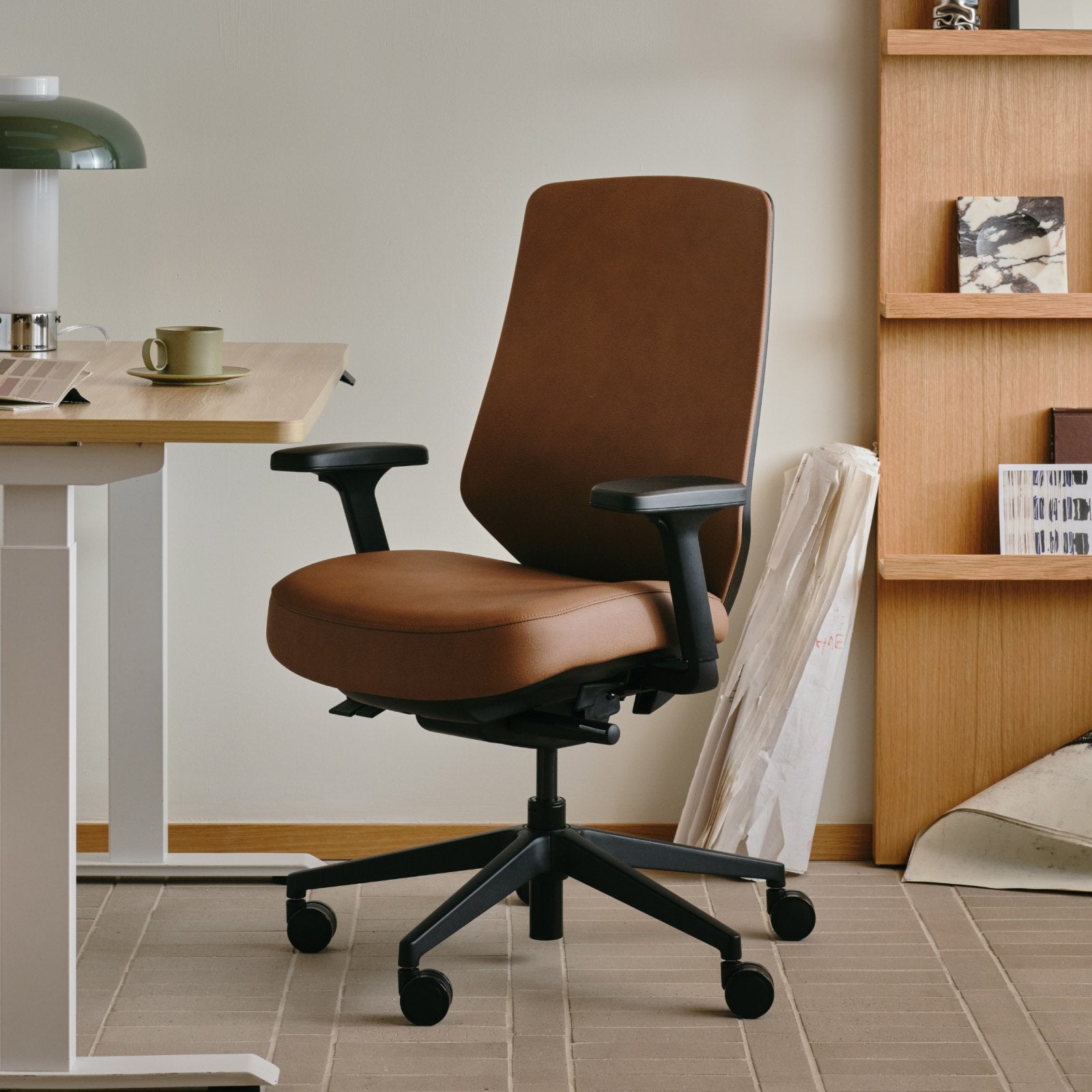
Branch Ergonomic Chair Pro in Brown Leather
The Ergonomic Chair Pro gives you the most choices. You can pick soft mesh, bouclé, vegan leather, or leather. This lets you match your chair to your room and choose what feels best to you.
The FlexiSpot C7 and Steelcase Series 1 both use mesh backs that let air through. This keeps you cool on hot days. The Autonomous ErgoChair Pro has a mesh back with a foam seat cushion.
How Hard Are They to Put Together?
The Steelcase Series 1 is the easiest to set up. You don’t need any tools, and it takes less than two minutes. The Ergonomic Chair Pro comes with eight parts and takes about 15–20 minutes. Tools are included. The FlexiSpot C7 and Autonomous ErgoChair Pro take longer, usually 30–45 minutes each.
How the Chairs Compare
Here are the main differences between all four chairs:
Branch Ergonomic Chair Pro | Steelcase Series 1 | FlexiSpot C7 | Autonomous ErgoChair Pro | |
|---|---|---|---|---|
Price | $499 | ~$519 | $299.99 | $379 |
Adjustments | 14 | 8+ | 10 | 8 |
Max Weight | 275 lbs | 400 lbs | 300 lbs | 300 lbs |
Warranty | 7 years | 12 years (limited lifetime) | 10 years | 2 years |
Armrests | 5D | 4D | 3D | 3D |
Materials | Mesh, fabric, vegan leather, leather | Mesh and fabric | Mesh or foam | Mesh and foam |
Setup Time | 15–20 min | Under 2 min | 30–45 min | 30–45 min |
Which Chair Is Right for You?
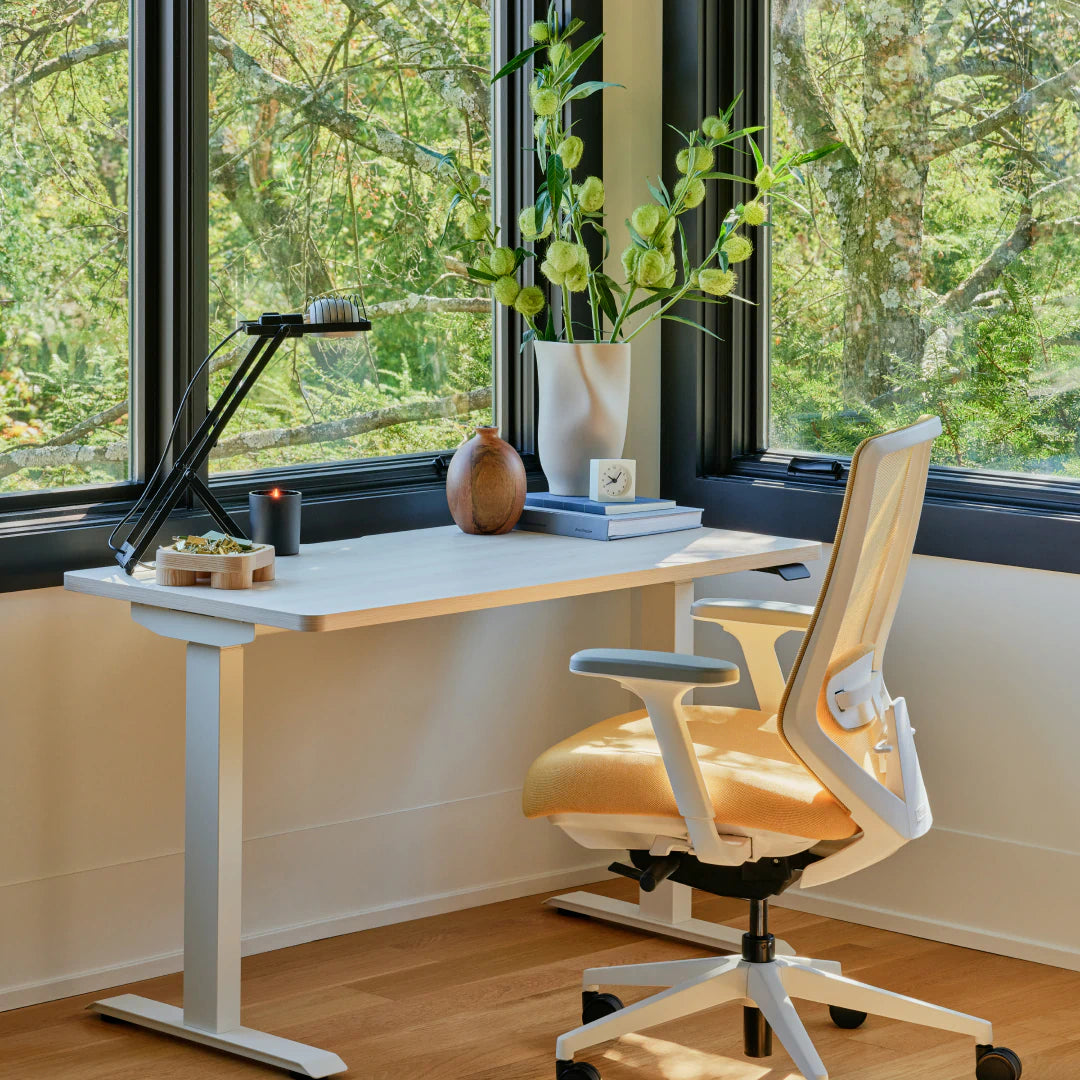
Branch Ergonomic Chair Pro
Want lots of adjustments and a chair that looks great? The Ergonomic Chair Pro has the most ways to customize your fit. It also comes in a nice array of materials that make your home office look good.
Want a chair built to last? The Steelcase Series 1 has the longest warranty and holds the most weight. It’s super easy to set up, too.
Want to save money but still get good quality? The FlexiSpot C7 costs $100 less than the Branch but still has a 10-year warranty and moving back support.
Want the cheapest option? The Autonomous ErgoChair Pro is the lowest price, but the short 2-year warranty is a risk.
Our Pick for Best Overall Value
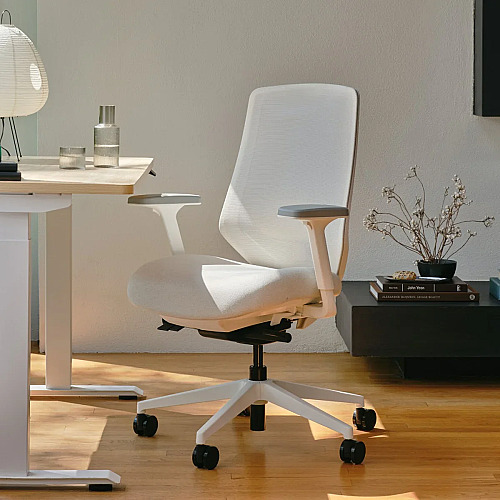
After testing all four chairs, the Branch Ergonomic Chair Pro is the best ergonomic office chair for most people. In fact, we aren’t the only ones to come to this conclusion, as other publications like Wired, Forbes, and Architectural Digest also rank it the best office chair for most people. The 14 adjustments, two-way back support, and 5D armrests help you set up the chair to fit your body perfectly. You can also further customize your chair by choosing mesh, fabric, or leather to match your style, giving you the best mix of features and price.
If you spend a lot of time sitting at a desk, a good chair is worth the money. Peer-reviewed evidence supports the value of ergonomic seating for all-day comfort and proper posture. The Ergonomic Chair Pro gives you what you need at a fair price.
Ready to Upgrade Your Chair?
Your back will thank you for making the switch. The Branch Ergonomic Chair Pro is available now for $499 with free shipping. Branch offers a 30-day trial period, so you can test it at your desk before you commit. If it doesn’t work for you, send it back for a full refund. Visit Branch Furniture to see color options and customize your chair today.




Leave a Comment
Your email address will not be published. Required fields are marked *